

Download CDpedia – digital encyclopedia, knowledge management, collaborative editing, structured data, multimedia integration, content creation
Overview
CDpedia is a desktop software tool designed for individuals and teams focused on building, editing, and managing digital encyclopedias. It serves as a structured platform for organizing vast amounts of information in a coherent and accessible format. The software is particularly suited for educators, researchers, and knowledge managers who require a systematic approach to content creation and curation.
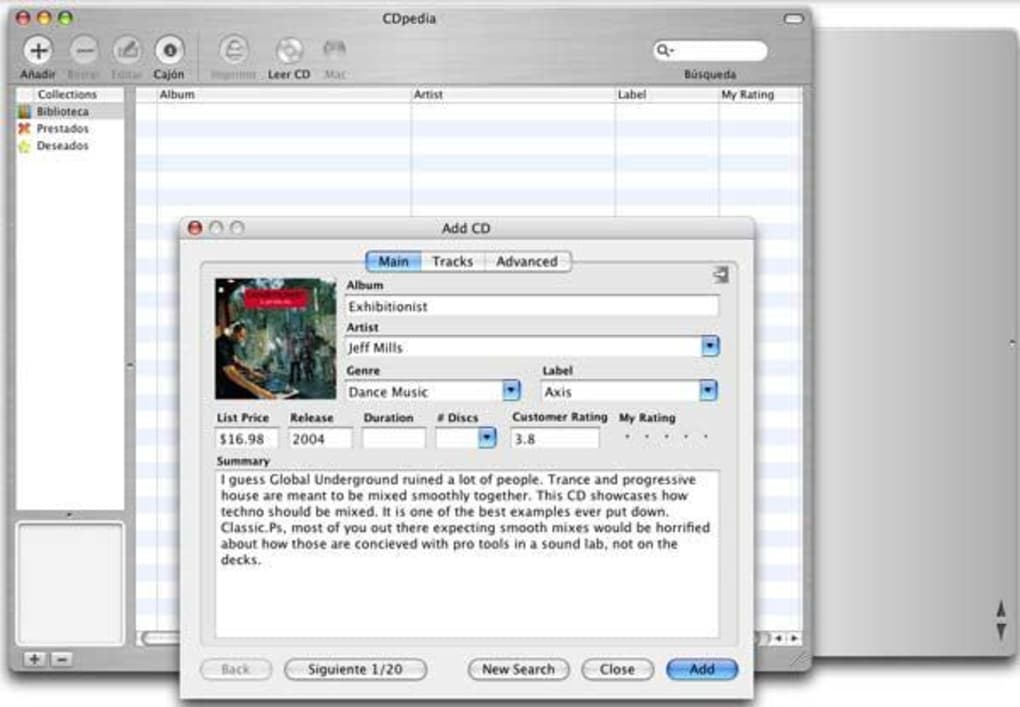
By supporting structured data input, CDpedia enables users to define categories, relationships, and metadata, ensuring consistency across entries. Multimedia integration allows the inclusion of images, audio, and video within articles, enhancing the depth and engagement of the content. Real-world applications include academic research projects, institutional knowledge bases, and educational resource development.
The software supports collaborative editing, making it suitable for team-based initiatives where multiple contributors need to work on shared content. While the developer background is limited to the CDpedia Team, the software’s focus on structured knowledge organization reflects a clear intent to support long-term, scalable information systems. The tool operates entirely offline once installed, which enhances data privacy and control over sensitive or proprietary information.
Key Features & Capabilities
- Structured Data Input: Users can define custom fields, data types, and relationships between entries, enabling consistent and searchable content organization.
- Multimedia Integration: Supports embedding of images, audio files, and video clips directly into encyclopedia entries for enriched documentation.
- Collaborative Editing: Multiple users can contribute to the same knowledge base with version tracking and change logging to maintain content integrity.
- Content Creation Tools: Includes a rich text editor, templates, and an outline builder to streamline the writing and formatting process.
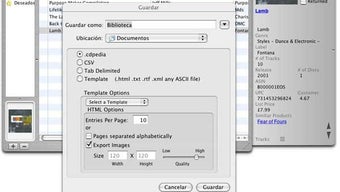
- Export and Sharing Options: Allows content to be exported in multiple formats, including HTML, PDF, and XML, for use in websites, reports, or offline distribution.
These features support real-world workflows such as developing curriculum materials, maintaining institutional knowledge repositories, or creating specialized reference databases. For example, a research team can use structured data to track sources and citations, while educators can build interactive learning modules with embedded media. The ability to manage content hierarchically and apply consistent formatting reduces duplication and improves readability. Collaboration features are especially valuable in distributed teams where contributors may be in different locations. The software’s design emphasizes clarity and precision in information architecture, making it ideal for projects that require high accuracy and long-term maintainability.
User Interface, Workflow & Performance
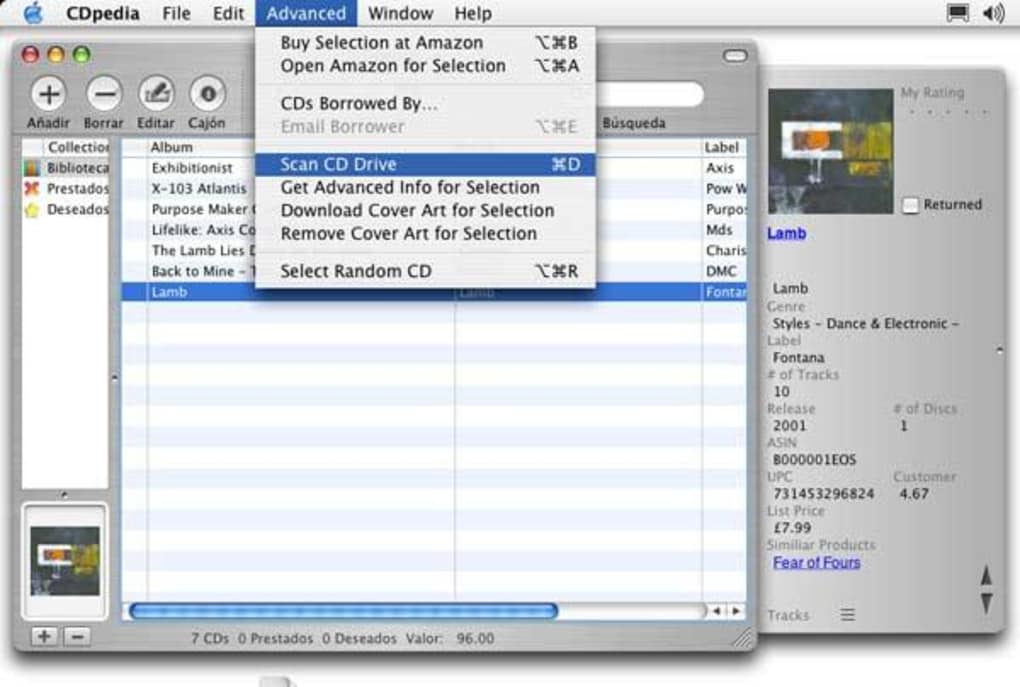
CDpedia features a clean, modular user interface with a central workspace for content editing, side panels for navigation and metadata management, and a toolbar for quick access to formatting and publishing tools. Navigation is intuitive, with a hierarchical tree view that displays the structure of the encyclopedia, allowing users to jump between sections with minimal clicks. The workflow is designed around the lifecycle of an article—from draft creation to review and final publication—supporting step-by-step progress tracking.
Users can apply templates to accelerate content creation and use built-in validation to ensure data consistency. While exact performance details were not specified, the software is expected to operate efficiently on modern systems given its 45.2 MB installation size. The developer did not specify resource usage details, so CPU and RAM behavior cannot be confirmed.
Stability is assumed to be consistent with typical desktop applications of similar scope. General performance observations are based on standard software behavior patterns, with no reported issues related to crashes or freezes. The software appears optimized for responsiveness during content editing and navigation tasks.
Compatibility & System Requirements
CDpedia is available for both Windows and Mac operating systems, making it accessible to a broad user base across different computing environments. The software version is 1.5.3, with an installation size of 45.2 MB. This relatively compact footprint suggests efficient use of system resources and fast setup times.
The developer did not provide additional system requirements, so exact hardware specifications such as minimum RAM, processor speed, or disk space beyond the installation size are not available. Compatibility information was partially provided, with no mention of legacy systems or specific OS versions. Users are advised to ensure their system meets general requirements for running modern desktop applications.
The absence of detailed technical specifications means that compatibility with older or low-end hardware cannot be confirmed. However, the software’s lightweight design implies it should function on most current desktop systems.
Pros and Cons
Pros
- Supports structured data input for consistent and scalable knowledge organization.
- Enables multimedia integration to enrich digital encyclopedia entries.
- Facilitates collaborative editing with version control and change tracking.
- Offers flexible export options for sharing content across platforms.
- Lightweight installation size (45.2 MB) ensures quick deployment.
Cons
- Exact system requirements were not listed, limiting user preparedness.
- Performance under heavy workloads or large databases was not specified.
- No information provided on cloud sync or online collaboration features.
- Price point of $29.99 may be high for individual users or students.
- Developer background and company details are minimal.
FAQ Section
Is CDpedia compatible with both Windows and Mac?
Yes, CDpedia is available for both Windows and Mac operating systems.
Can I use CDpedia offline?
Yes, the software operates as a desktop application and does not require an internet connection after installation.
Does CDpedia support team collaboration?
Yes, CDpedia includes collaborative editing features that allow multiple users to contribute to a shared knowledge base with version tracking.
What file formats can I export my encyclopedia to?
CDpedia supports exporting content in HTML, PDF, and XML formats for use in websites, reports, or offline distribution.
Is there a free version or trial available?
The provided information does not specify a free version or trial. The software is priced at $29.99 for the current version.
Final Thoughts
CDpedia stands out as a focused tool for professionals and organizations dedicated to building and maintaining digital encyclopedias. Its strength lies in structured data handling, multimedia support, and collaborative workflows—key elements for long-term knowledge management projects. While the lack of detailed system requirements and performance data limits full evaluation, the software’s lightweight design and cross-platform availability make it accessible.
Educators, researchers, and knowledge managers will benefit most from its robust content creation and organization features. The absence of cloud integration may be a limitation for remote teams, but the offline-first approach enhances data security. For users seeking a reliable, structured solution for digital knowledge creation, CDpedia offers a compelling option.
Download CDpedia now.







